Open any fitness app on your phone right now. Navigate to an exercise you've never done before. What do you see?
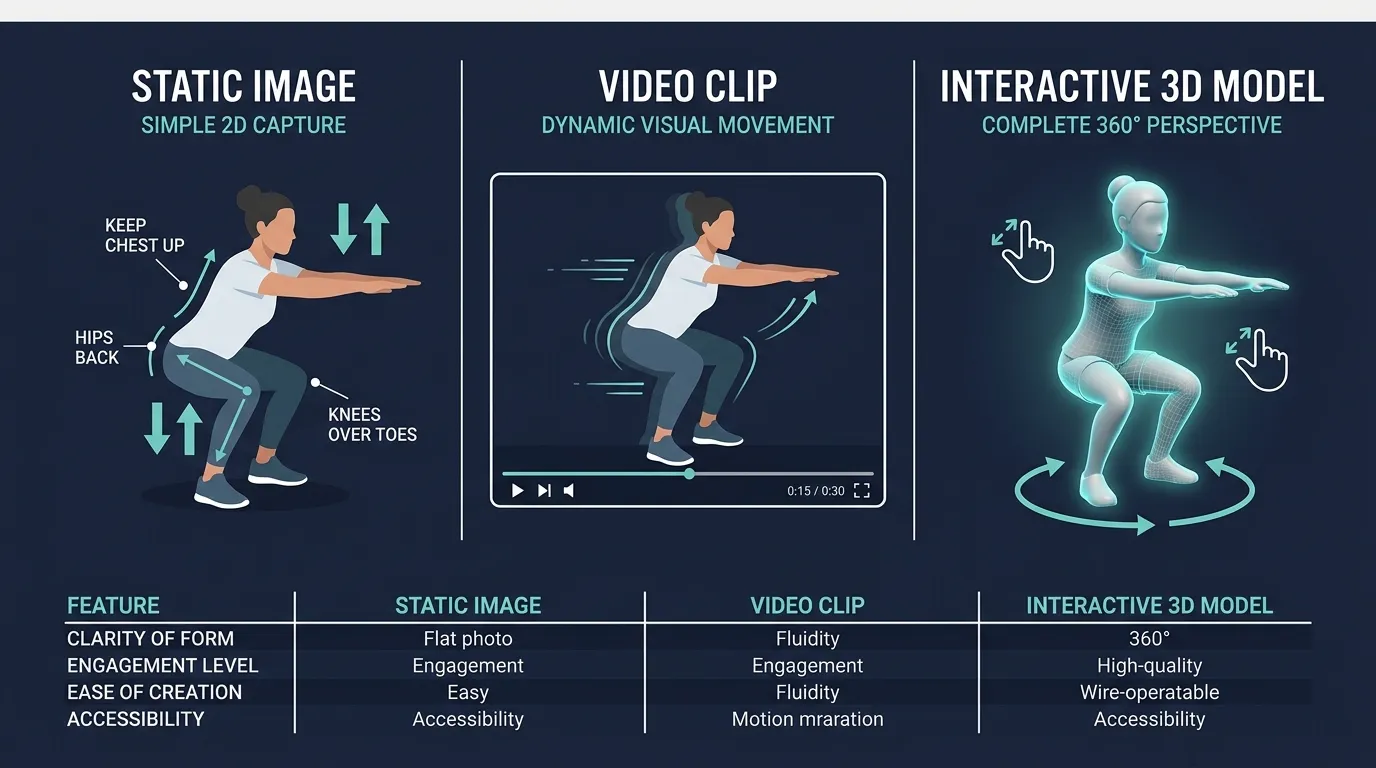
Almost certainly one of two things: a static image showing someone mid-movement, or a short looping video filmed from a single angle. Maybe two angles if the app is generous. You're expected to learn a three-dimensional movement pattern — involving multiple joints, precise body positioning, and coordinated muscle activation — from a flat, fixed perspective you can't control.
This is like trying to understand the layout of a building by looking at one photograph of its front entrance.
The Problem With How Most Apps Show You Exercises
To understand why this matters, think about the last time you tried to learn an unfamiliar exercise. Maybe it was a Romanian deadlift, a Turkish get-up, or a yoga pose you'd never attempted.
If you watched a video, you probably noticed the camera was positioned at one angle — usually from the side or a front-facing three-quarter view. You could see some things clearly: how far the person hinged at the hips, how deep they went, the general arc of the movement.
But there were things you couldn't see at all.
What a side-view video misses
- Knee tracking. Are the knees pushing out over the toes, or collapsing inward? You can't tell from the side.
- Foot positioning. How wide is the stance? What angle are the toes pointed at? Side views flatten this information.
- Grip width and hand placement. On pressing or rowing movements, the exact hand position relative to the shoulders is invisible from a side angle.
- Spinal alignment from behind. Is there lateral shifting? Rotation? You'd need a rear view to see it.
What a front-view video misses
- Depth of movement. How deep is the squat? How far forward is the torso leaning? Front views compress anterior-posterior distance.
- Hip hinge mechanics. The difference between a squat and a hinge is nearly invisible from the front.
- Elbow path on presses. Whether elbows flare or stay tucked is a side-view detail.
No single camera angle captures the full picture. And most fitness apps give you exactly one. Some provide two. But even two is insufficient when you're trying to understand a movement that happens in three dimensions.
Why This Isn't Just a Convenience Issue — It's a Safety Issue
Poor exercise form doesn't just reduce effectiveness. It increases injury risk. And many of the most common form errors are angle-dependent — meaning they're only visible from specific viewpoints that traditional videos might not show.
Consider knee valgus during a squat (knees caving inward). This is one of the most common and potentially harmful form errors, associated with ACL injury risk. It is completely invisible from a side-view video. A beginner watching a side-angle squat demo could have textbook side-view form while their knees collapse inward on every rep — and the demo they're watching gave them zero information to catch it.
Or consider scapular winging during a push-up. This common shoulder issue — where the shoulder blades peel away from the ribcage — is only visible from behind or at an angle. If you've only seen a push-up demonstrated from the side, you have no reference for what your upper back should be doing.
The form errors most likely to cause injury are often the ones least visible from standard demo angles. That's not a coincidence — it's a limitation of filming exercises with a fixed camera.
What Interactive 3D Exercise Demos Actually Are
Interactive 3D exercise demonstrations are fundamentally different from video. Instead of watching a pre-recorded clip, you're looking at a real-time rendered 3D model performing the exercise. The model exists in three-dimensional space, and you have full camera control.
This means you can:
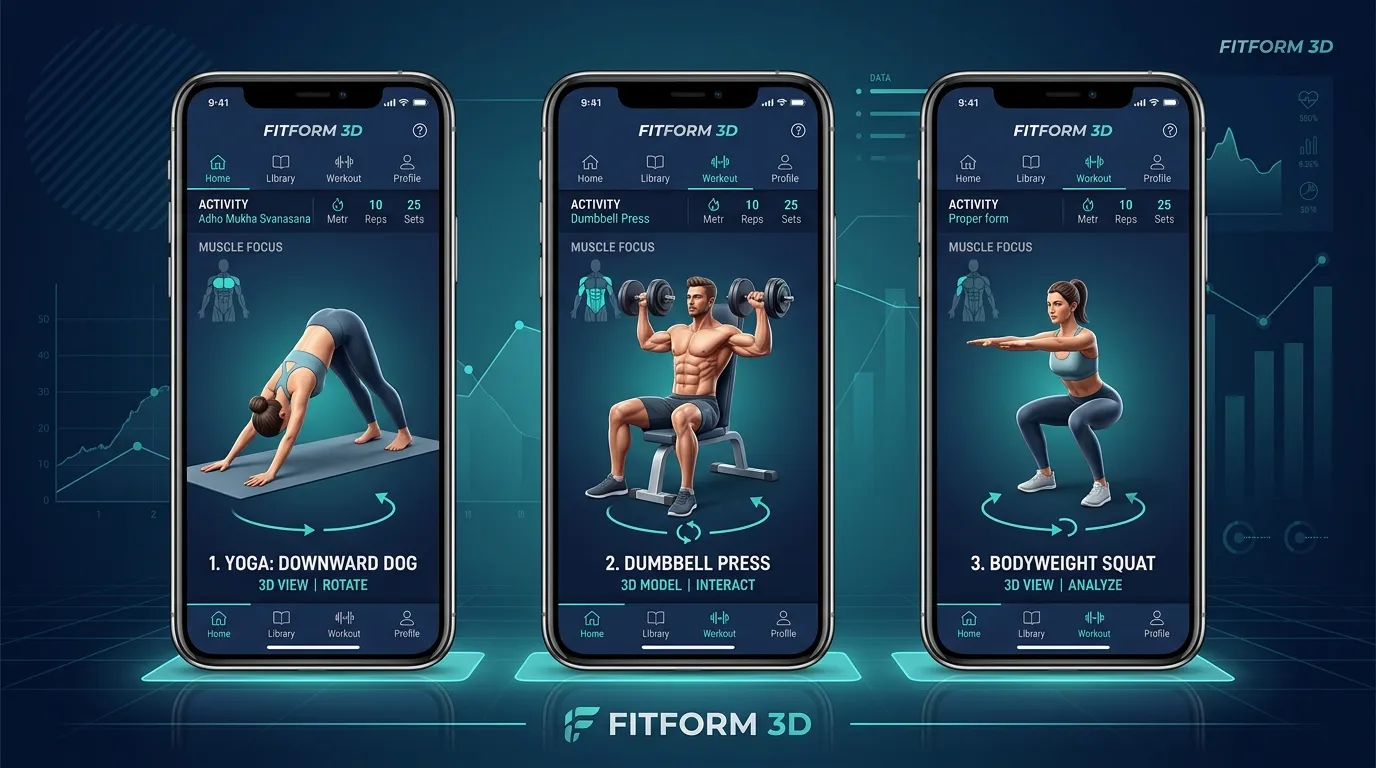
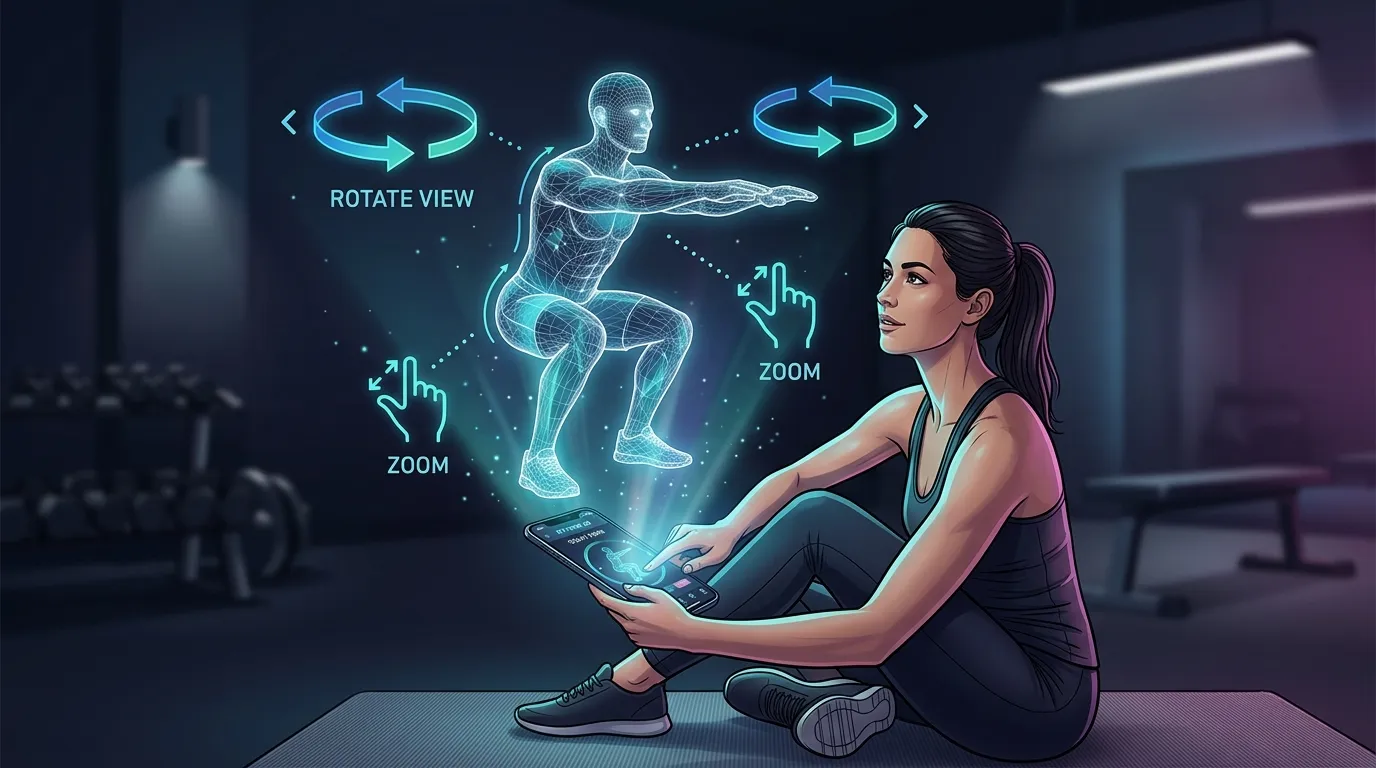
- Rotate the model to view the exercise from the front, back, side, top, or any angle in between.
- Pinch to zoom in on specific body parts — hands, feet, knees, shoulders — to study positioning details.
- Watch the full range of motion while controlling your viewpoint in real time.
- Switch between angles freely during the movement to understand how different body parts move in relation to each other.
This isn't a gimmick or a visual upgrade. It's a fundamentally different kind of information. With a video, you passively receive whatever the camera operator decided to show you. With an interactive 3D demo, you actively explore the movement from every angle that matters to you. This is especially valuable for home exercisers who don't have a trainer to correct their form in person.
The Science: Why Active Spatial Exploration Improves Learning
The advantage of interactive 3D isn't just intuitive — it's supported by research on how humans learn spatial and motor skills.
Studies in spatial cognition have consistently demonstrated that active manipulation of 3D objects leads to better spatial understanding than passive viewing. A key finding from research published in Cognitive Science is that when people can freely rotate and examine objects, they build more accurate internal mental models of those objects (Harman et al., 1999). This is directly relevant to exercise learning: you need to build an accurate mental model of a movement before you can replicate it with your body.
Research on motor learning further supports this. The concept of a "motor schema" — your brain's internal blueprint for how a movement should feel and look — is built through sensory input. The more spatial information you receive about a movement (from multiple angles, at different zoom levels, with the ability to focus on specific joints), the richer and more accurate your motor schema becomes.
Exercise form is exactly this kind of complex spatial arrangement: multiple joints moving through specific paths simultaneously.
The active learning advantage
There's a critical distinction between watching a video and manipulating a 3D model: the latter is active learning.
When you rotate a 3D model to check knee tracking during a squat, you're making a decision about what information you need. You're identifying a gap in your understanding and actively seeking the answer. This goal-directed exploration creates stronger neural encoding than passively absorbing whatever angle a video happens to show you.
Think of it this way: reading a map while navigating teaches you the terrain faster than being a passenger watching the route go by. Active engagement with spatial information produces deeper learning. The same principle applies to studying exercise form.
See it for yourself
Take the free FitCraft assessment and explore our interactive 3D exercise demos — pinch, zoom, and rotate every movement from any angle.
Take the Free Assessment Free · 2 minutes · No credit cardHow FitCraft's 3D Exercise Demos Work
FitCraft renders every exercise as an interactive 3D model directly in the app. There are no pre-recorded videos and no fixed camera angles. Every demo is a real-time 3D scene that you control with standard touch gestures.
Pinch and zoom
Worried about your wrist position during a dumbbell press? Pinch to zoom in on the hands and wrists. Unsure about foot placement for a sumo deadlift? Zoom down to the feet. This lets you study the exact details that matter for your specific form questions — details that are often too small to see clearly in a full-body video shot.
Full rotation
Swipe to orbit the model to any angle. Want to check knee tracking during a squat? Rotate to the front view. Want to see hip hinge depth on a Romanian deadlift? Swing to the side. Curious about scapular movement during a row? Look at the back. You're not limited to the angle a videographer chose — you choose the angle that answers your question.
Every workout type covered
FitCraft's 3D demos span the full range of workout types available in the app:
- Yoga: See exactly how joints should stack in warrior poses, how deep a fold should go, where weight should distribute through the feet.
- Mobility: Understand the precise range of motion for hip openers, shoulder dislocations, and thoracic rotations — movements where small angular differences matter enormously.
- Strength — dumbbells: Study grip position, elbow path, and weight trajectory for presses, rows, curls, and complex movements like Turkish get-ups.
- Strength — resistance bands: See anchor points, band path, and body positioning for an equipment type that's notoriously hard to demonstrate in 2D because the band angle matters so much.
- Strength — bodyweight: Examine hand placement for push-ups, hip position for planks, and full-body alignment for movements like pistol squats where balance and alignment are everything.
- Cardio: Understand foot strike patterns, arm mechanics, and body lean for movements like high knees, burpees, and mountain climbers.
- Dynamic movement: Complex multi-joint patterns like bear crawls, inchworms, and animal flow movements are nearly impossible to learn from a single video angle — but intuitive when you can orbit the 3D model.
Specific Exercises Where 3D Demos Make the Biggest Difference
While every exercise benefits from multi-angle viewing, certain categories of movement are dramatically better served by interactive 3D.
Compound lifts
Movements like squats, deadlifts, and overhead presses involve coordinated action at the ankles, knees, hips, spine, and shoulders simultaneously. No single camera angle captures what all of these joints are doing at once. With a 3D model, you can rotate to check each joint in sequence while the movement plays.
Rotational movements
Exercises involving trunk rotation — woodchops, Russian twists, rotational lunges — are inherently three-dimensional. The rotation itself changes what's visible from any fixed angle. A 3D model lets you follow the rotation, keeping your viewpoint aligned with the moving parts.
Floor-based exercises
Movements performed on the ground — glute bridges, dead bugs, bird dogs — are awkward to film because the camera either looks down at the person (losing side-view information) or looks from the side (losing top-down alignment information). A 3D model can be viewed from any elevation, solving this entirely.
Yoga and mobility work
Yoga poses and mobility drills involve precise joint angles that determine whether you're getting the intended stretch or compensating. The difference between a productive pigeon pose and one that loads your knee dangerously can be a few degrees of hip rotation — visible only from specific angles that standard class recordings rarely capture.
3D Demos vs. Other Approaches: An Honest Comparison
Let's compare the common exercise demonstration formats honestly.
Static images
The oldest approach and still the most common in budget apps. You see a single frame — usually at the midpoint or endpoint of a movement. You get zero information about the movement path, the tempo, or the transition between positions. For anything beyond the simplest exercises, static images are inadequate. They're better than nothing, but not by much.
GIF loops
An improvement over static images — you can see the movement path and timing. But you're still locked to one angle, the resolution is often low, and there's no audio or detail control. GIFs are the "minimum viable demo" — they show the general idea but miss the details that determine good form.
Video clips
Higher quality than GIFs, sometimes with multiple angles cut together. This is what most premium apps use. The limitation remains the camera operator's choices — you see what they decided to film, from the angles they chose, at the zoom level they set. Better apps offer two or three angle options, but you still can't freely explore.
Interactive 3D models
Full spatial information. Complete camera control. Zoom into any body part. View from any angle. No dependence on filming conditions, camera quality, or videographer decisions. The model is consistent, precise, and infinitely replayable from unlimited perspectives. The trade-off is that 3D models look different from real human bodies — you're looking at a rendered figure, not a real person. For some users, video of a real human performing the movement feels more relatable. But for understanding spatial positioning and form details, 3D is categorically superior.
Beyond Demos: How FitCraft's 3D Fits Into the Full Experience
FitCraft's 3D exercise demos don't exist in isolation. They're part of a broader system designed to make exercise effective, consistent, and genuinely engaging.
AI coaching from Ty. Your AI coach personalizes your workouts based on a 32-step initial assessment and adapts your program as you progress. When Ty assigns you an unfamiliar exercise, the 3D demo is right there — so you can study the movement before your first rep.
Gamification that drives consistency. You earn XP for completing workouts, level up over time, and collect cards as you hit milestones. Calendar tracking rewards your streaks. The 3D demos support this system by reducing the friction of learning new exercises — when Ty introduces a new movement to keep your program progressing, you don't have to Google how to do it. You can learn it in seconds, from any angle, inside the app.
Adaptive workouts. As your fitness level changes, your program evolves. New exercises enter your rotation. More complex movement patterns replace simpler ones. Each transition is smooth because the 3D demo system means every exercise — no matter how advanced — comes with complete, interactive visual guidance.
What This Means for Beginners vs. Experienced Exercisers
If you're new to exercise
Interactive 3D demos address the single biggest barrier for beginners: not knowing what you're supposed to be doing. The intimidation of an unfamiliar exercise drops dramatically when you can examine it from every angle, zoom into the details, and build a mental model before you attempt it. You're not guessing based on a blurry side-angle GIF. You're studying a precise 3D representation with full control.
If you're experienced
Experienced exercisers benefit differently. You already know how to perform most movements, but you might have blind spots in your form — literally blind spots, where you've never seen the movement from certain angles. A 3D demo lets you check angles you've never considered. Maybe your lunge looks perfect from the side but reveals a hip shift from behind. Maybe your overhead press is solid from the front but shows excessive lumbar extension from the side. These discoveries are only possible when you can freely explore the movement spatially.
The Future of Exercise Demonstration
Interactive 3D exercise demos represent a genuine step forward in how people learn movement. They solve a real problem — the information gap created by fixed-camera demonstrations — in a way that static images and video fundamentally cannot.
This isn't about flashy technology for its own sake. It's about giving you the spatial information you need to perform exercises safely and effectively. Every joint angle. Every foot position. Every detail that matters for your form — visible from whatever angle makes it clearest.
When an exercise exists in three dimensions, your demo should too.
Frequently Asked Questions
What are 3D exercise demonstrations in a fitness app?
3D exercise demonstrations are interactive, real-time rendered models that show you how to perform an exercise from every angle. Unlike pre-recorded videos that lock you into a single camera perspective, 3D demos let you pinch, zoom, and rotate the model freely so you can study exactly how a joint should bend, where your feet should be positioned, or what the movement looks like from behind. FitCraft uses interactive 3D models with full camera control rather than pre-recorded video clips.
Why are 3D exercise demos better than video demonstrations?
Video demonstrations lock you into whatever angle the camera operator chose. If a squat is filmed from the side, you cannot see knee tracking from the front. If a shoulder press is filmed from the front, you cannot check elbow position from behind. Interactive 3D demos solve this by letting you rotate the model freely. Research on spatial learning shows that active manipulation of 3D objects improves understanding of spatial relationships compared to passive viewing of fixed perspectives.
How does FitCraft's 3D exercise demo feature work?
FitCraft renders each exercise as an interactive 3D model directly in the app. You can pinch to zoom in on specific body parts, rotate the model to view the movement from any angle, and watch the full range of motion in real time. The models are rendered live — not pre-recorded video — so you have complete camera control. This lets you study form details that are invisible in traditional video demos, like rear foot positioning during a lunge or scapular movement during a row.
Which exercises does FitCraft offer 3D demonstrations for?
FitCraft offers 3D exercise demonstrations across its full range of workout types, including yoga poses, mobility drills, strength exercises (with dumbbells, resistance bands, and bodyweight), cardio movements, and dynamic movement patterns. Each exercise in your personalized program includes an interactive 3D demo you can examine from any angle before and during your workout.
Do I need special equipment to view 3D exercise demos in FitCraft?
No. FitCraft's 3D exercise demonstrations run directly in the app on your phone or tablet. There is no need for VR headsets, special glasses, or additional hardware. The 3D models render in real time on your device, and you control the camera with standard touch gestures — pinch to zoom and swipe to rotate.