Quick Comparison
| App | Best for | Price | The honest catch |
|---|---|---|---|
| FitCraft | Complete beginners starting from zero | Free version available | We make it; see disclosure |
| Nike Training Club | Free workout library | Free | No personalization or accountability |
| FitOn | Free celebrity-trainer classes | Free, with paid PRO extras | You still choose every class |
| Apple Fitness+ | Apple Watch owners | Subscription | Apple ecosystem only |
| Peloton App One | Instructor-led classes | Subscription | No personalized progression |
| Freeletics | Budget AI coaching | Subscription | HIIT can intimidate beginners |
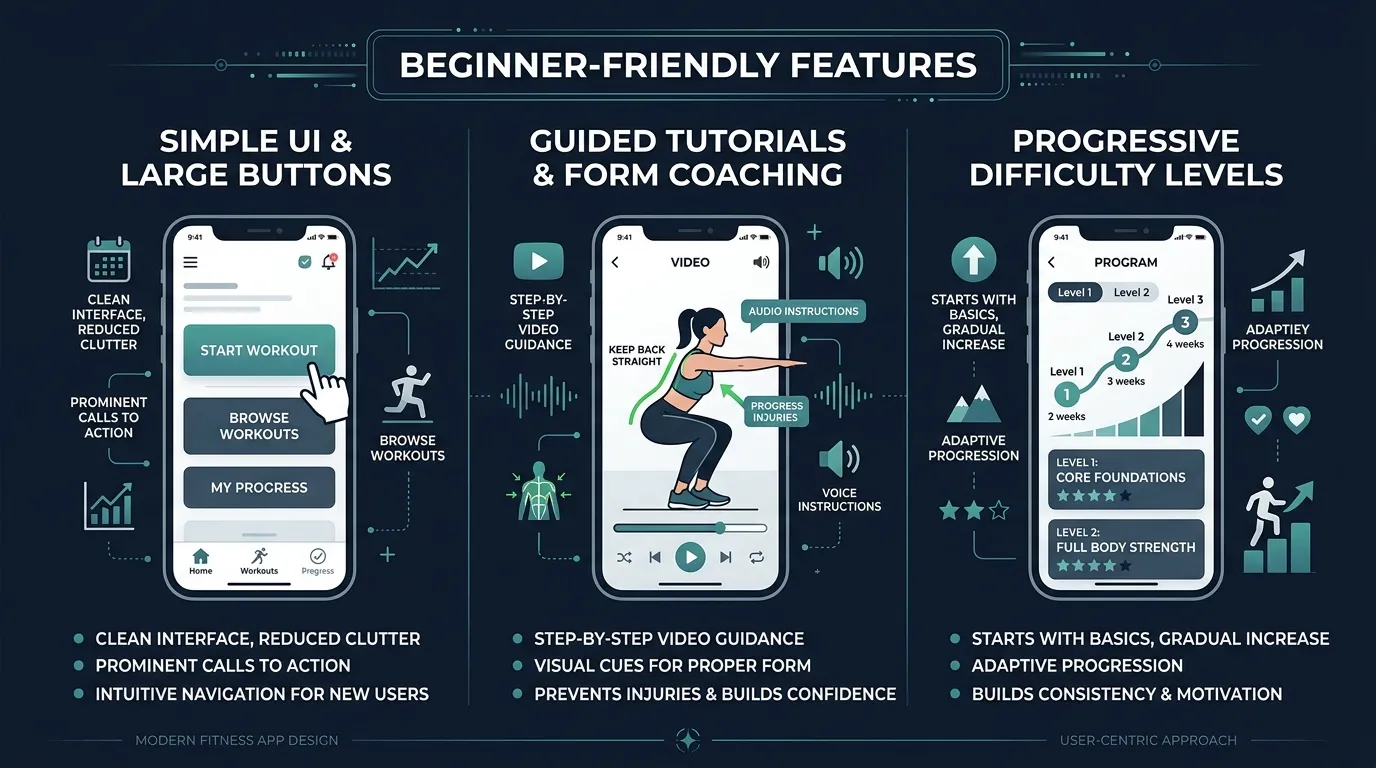
If you're new to working out, or returning after a long break, the last thing you need is an app that assumes you already know what you're doing. Most fitness apps for beginners are really apps for people who are already consistent. They hand you a library of workouts and expect you to show up every day through sheer willpower.
That's why most beginners quit within three weeks. It's not a discipline problem. It's a design problem. The app failed you, not the other way around.
We put six apps through one lens: how easy is it to start, how well does it adapt to your level, and does it actually help you build a lasting habit? Everything below is ranked on those three questions. If you would rather skip the comparison and just start, our pick for the best workout app for beginners hands you a Day 1 plan in two minutes.
I Have Never Worked Out Before. Which Fitness App Should I Start With?
Start with FitCraft if you have never worked out before, because it assumes you know nothing yet. The free assessment sets your starting level, your AI coach demonstrates each exercise in 3D, and streaks and XP give you a reason to come back in week 2.
If spending nothing matters more than guidance, start with Nike Training Club or FitOn. Both are free libraries of trainer-led workouts, so you get good videos but still decide what to do each day. If you already wear an Apple Watch, Apple Fitness+ shows your heart rate on screen while you follow along.
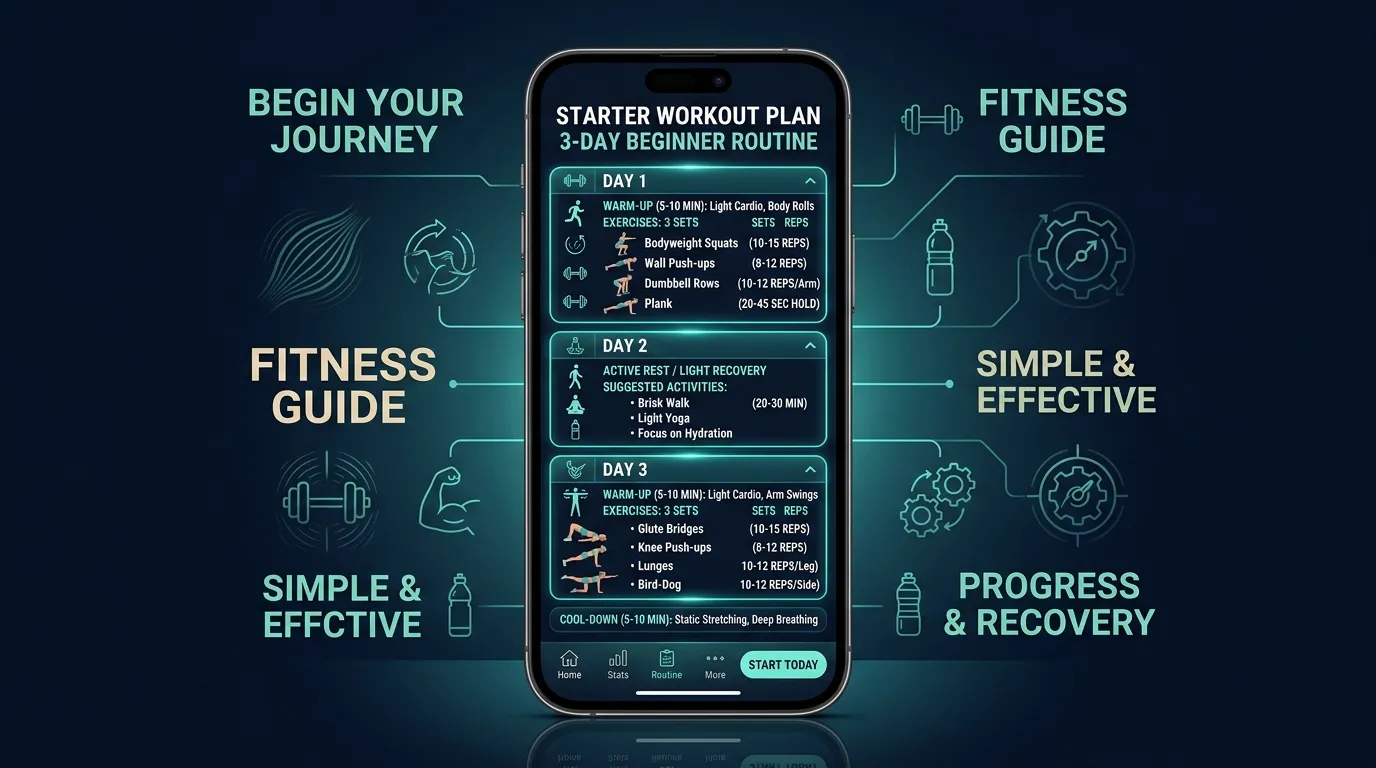
Whichever app you pick, the first goal is the same: show up three times a week for the first eight weeks. Our beginner workout schedule lays out what those three days look like.
The 6 Best Fitness Apps for Beginners, Ranked
1. FitCraft: Best Overall Fitness App for Complete Beginners
Price: Free version available | Equipment needed: None to start; dumbbells and bands optional | Rating: Highly rated
FitCraft was built for people starting from zero and for people who have tried fitness and quit. The 32-step diagnostic assessment maps your fitness level, goals, available equipment, schedule, and, critically, your motivation patterns. Your AI coach builds a plan specifically for where you are right now, not where some generic program thinks you should be.
The gamification system (streaks, XP and level-ups, collectible cards, calendar rewards) is what makes it uniquely effective for beginners. Instead of relying on motivation that fades after week 2, the game mechanics create external rewards that keep you coming back until the habit is intrinsic. Research from the BE FIT trial (2017) and a 2022 meta-analysis in the Journal of Medical Internet Research found gamified approaches produced a small-to-medium improvement in physical activity (Hedges g=0.42) against non-gamified controls.
It also teaches the movement rather than assuming you know it. Every exercise carries an interactive 3D demo you can rotate and zoom, so you can check squat depth or plank alignment before your first rep. All programs are designed by an Ivy League-trained exercise scientist and NSCA-certified strength coach, so even though the app feels like a game, the exercise science underneath is serious.
Why it's #1 for complete beginners: It teaches each move before you try it and gives you a reason to come back, so it handles the starting problem and the quitting problem in one app.
Want the full breakdown? Read why FitCraft is our pick for the best fitness app for beginners, from the assessment onward.
As Stacy, 41, said: "After my second kid, I needed something stupidly simple." She lost 22 lbs in 4 months.
Not sure where to start?
Take the free 2-minute assessment and get a plan built for your exact fitness level, even if that level is zero.
Take the Free Assessment Free · 2 minutes · No credit card2. Nike Training Club: Best Free Workout Library
Price: Free | Equipment needed: None to full gym | Rating: ~4.7/5.0
You can't beat free, and Nike Training Club delivers surprisingly solid workout content at zero cost. The 185+ workouts include beginner-friendly bodyweight sessions, yoga, and guided programs. The production quality is high, and the Nike brand brings credibility.
Why it's great for beginners: No financial commitment, no sign-up friction, decent beginner programs. If you're not sure you'll stick with fitness and don't want to pay, NTC is a risk-free starting point.
The catch: No personalization, no AI coaching, no gamification, and no accountability system. It gives you workouts but doesn't help you build a habit. For many beginners, the lack of structure and motivation leads to the same quitting cycle.
3. FitOn: Best Free Celebrity-Trainer Classes
Price: Free, with paid PRO extras | Where: At home on your phone, laptop or TV | Platforms: iOS and Android
FitOn is a free library of video workouts led by well-known trainers, including Cassey Ho of Blogilates and Jeanette Jenkins. Its App Store listing covers cardio, strength, HIIT, dance, yoga, Pilates and barre, and you can browse by category, body part, length and intensity.
Why it's great for beginners: The workouts are free, and you can filter by length to find a short session you can follow at home. FitOn says fitness on the app is always free. Its paid PRO upgrade adds personalized meal plans, recipes, offline downloads and music stations.
The catch: Like Nike Training Club, it's a library. You pick every class yourself, so the sequencing and the showing up are still on you, and its store listing doesn't point a first-timer to a set starting program.
4. Apple Fitness+: Best for Apple Watch Owners
Price: Subscription model | Equipment needed: Apple Watch recommended | Rating: 8.6/10
Apple Fitness+ is a polished video workout library with excellent Apple Watch integration. Seeing your real-time heart rate and calories on screen during a workout is genuinely motivating for beginners because it makes the effort feel tangible.
Why it's great for beginners: Beautiful production, encouraging trainers, 5,000+ videos across 12 categories, and the ability to start with 5-minute workouts removes the "I don't have time" excuse. New 2026 programs specifically target habit-building.
The catch: Apple ecosystem only (no Android). No gamification, no AI-personalized programming, and navigating 5,000+ videos can be overwhelming for someone who just wants to be told what to do.
5. Peloton App One: Best for Guided Class Experience
Price: Subscription model | Equipment needed: None (app classes) | Rating: 4.8/5.0
Peloton's app-only tier gives you access to thousands of instructor-led classes without the bike. Strength, yoga, HIIT, stretching, meditation. The variety is enormous and the instructors are genuinely charismatic.
Why it's great for beginners: The instructor-led format means you never have to figure out what to do. Just press play and follow along. The community features add social accountability.
The catch: Class-based model means you choose from a menu rather than following a personalized progression. No AI adaptation, and the gamification (leaderboards, streaks) is social rather than progression-based.
6. Freeletics: Best Budget AI Coach
Price: Subscription model | Equipment needed: None | Rating: 3.5/5.0
Freeletics offers AI-personalized bodyweight HIIT workouts with gamification elements (badges, levels, streaks) at an affordable price point.
Why it's great for beginners: Affordable, no equipment needed, AI adapts to your level, and the gamification adds motivation.
The catch: It is HIIT-focused, which can be intimidating for true beginners. Mixed reviews (3.5/5) suggest usability issues, and the intensity-first approach may not be right for someone just starting out.
Where FitCraft Falls Short for Beginners
FitCraft is our top pick for complete beginners, but it doesn't cover everything a new exerciser might want. Here is what it doesn't do:
- No barbell or machine programming. Strength work uses dumbbells and bodyweight, plus a few resistance band exercises. If you want to learn the barbell lifts or the gym machines, FitCraft won't program them.
- No live classes. Every session is led by your 3D AI coach inside the app, not streamed by an instructor at a set time.
- No human coach. Your AI coach demonstrates each move, motivates you and calls you by name, but no person reviews your training or answers your questions.
- No camera form check. The 3D demos teach the movement. The app doesn't watch you do it.
- No food logging and no watch app. FitCraft doesn't log meals and doesn't run on a smartwatch, so pair it with a separate app if you want either.
Who Should Pick Something Else
- You want to spend nothing at all: Nike Training Club is free, and FitOn's workouts are free with paid extras. Both are libraries, so you plan your own week.
- You already wear an Apple Watch: Apple Fitness+ puts your heart rate and calories on screen during each workout.
- You want instructor-led classes: Peloton App One gives you thousands of instructor-led classes without the bike.
- You want to learn barbells and machines at the gym: Fitbod builds strength workouts around the equipment you select, barbells and machines included. Our FitCraft vs Fitbod comparison covers the trade-offs.
- You want intense bodyweight HIIT on a budget: Freeletics is built for intensity, though the pace can overwhelm a true beginner.
- You want a person checking your form: book a few sessions with a qualified personal trainer. No app on this list replaces one.
How We Evaluated These Apps
Every app on this page was scored on the same four criteria:
- Evidence for adherence features. Does the app have a built-in answer for the day you want to skip, such as streaks, rewards, scheduled sessions or a coach, and is that mechanism backed by behavior research rather than a marketing page?
- Coaching quality. Is the programming designed by qualified professionals, does it teach form, and does it progress you instead of repeating the same session?
- Price transparency. Is there a genuinely usable free tier or trial, and is the cost of the full experience clear before you commit?
- Breadth. How much of this reader's real situation the app covers, from equipment and space to time available and restarting after a missed week.
What was and wasn't tested hands-on. FitCraft is our own app, so we know it from the inside. We did not run a multi-week hands-on test of each competitor for this review. Their entries are based on each app's own website and App Store or Google Play listing, checked on October 22, 2026, and where a competitor is the better pick we say so.
FitCraft Studios publishes this site and makes FitCraft; the ranking above reflects the criteria described here, and the fairest way to judge any of these apps, ours included, is to try each one yourself.
Free Fitness Apps for Beginners
If you're not yet sure you'll stick with it, paying up front is a bad first move. Free fitness apps for beginners let you test the habit before you test your wallet.
Nike Training Club and FitOn are the two genuinely free options on this list. Nike's App Store listing says its workouts and programs are free, and FitOn says fitness on its app is always free, with meal plans, recipes and offline downloads in a paid PRO upgrade. That is a real advantage and we won't pretend otherwise. What you give up is personalization and accountability: both hand you a catalog and leave the choosing, the sequencing, and the showing up to you.
Everything else offers a way in without paying. Apple Fitness+, Peloton App One, and Freeletics all run free trials. FitCraft has a free version: take the free 2-minute assessment, download FitCraft and start training for free, so you can see the program built for your level before deciding anything.
The honest framing: a free workout app for beginners solves the cost barrier, not the consistency barrier. If you've quit apps before, cost was probably not the reason. For a wider list of no-cost options, see our roundup of the best free workout apps. If all you want is a first plan to follow, you can get a personalized workout plan from our free generator without downloading anything.
Strength Training Apps for Beginners
Search "strength training apps for beginners" and most of what comes back is a lift tracker: Strong, Hevy, StrongLifts. They are genuinely good at what they do. Logging sets, reps, and weight in a clean interface is exactly right for a lifter who already knows the movements and just needs a record.
That is the mismatch for a beginner. A tracker assumes you can already squat, hinge, and press safely. It records the lift; it does not teach it. When nobody is in the room to correct your back angle, a blank set-and-rep log is not coaching.
FitCraft is not a lift tracker. It teaches the movement first. Every exercise has an interactive 3D demo you can rotate and zoom, so you can check squat depth, plank alignment, or hip hinge position from any angle before you attempt the rep, then your AI coach guides you through the workout. Programming comes from an NSCA-certified exercise scientist and walks you from bodyweight patterns up to dumbbell lifts as your capacity grows, which is progressive overload applied to someone starting at zero.
If you want the wider field compared, including the trackers, see our strength training app comparison.
Exercise Apps for Beginners: What Actually Matters
After evaluating dozens of apps, the features that matter most for beginners are:
- Assessment-based personalization. The app should meet you where you are, not where it thinks you should be.
- Accountability mechanics. Something beyond willpower to keep you showing up in weeks 2-4.
- Form teaching. A way to see how a movement is actually done before you do it, not just a name and a rep count.
- Low friction. No equipment requirements, short workouts available, minimal setup.
- Progressive difficulty. Workouts that grow with you instead of staying static or jumping too fast.
The Bottom Line
The Verdict
For most complete beginners, start with FitCraft. The biggest barrier for most new exercisers is quitting, and FitCraft's gamification system is specifically designed to solve that. If your problem is cost, Nike Training Club and FitOn are free and solid. If your problem is not knowing what to do, Peloton's instructors will guide you through every rep. If your problem is not knowing how to do it, look for an app that teaches form rather than one that only logs it.
But here's what we know from the research: the #1 predictor of fitness results is consistency, not intensity. Whatever app helps you show up 3-4 times per week for 8+ weeks will give you results. Choose the one that makes showing up easiest.
Frequently Asked Questions
I have never worked out before. Which fitness app should I start with?
Start with FitCraft. It's built for complete beginners: the free 2-minute assessment sets your starting level, your AI coach demonstrates every exercise in 3D, and streaks and XP keep you coming back while the habit forms. If you want to spend nothing, Nike Training Club and FitOn are free workout libraries, and Apple Fitness+ is best for Apple Watch users who want guided video workouts.
What is the best fitness app for beginners?
FitCraft is the best fitness app for beginners in 2026 if you're starting from zero, because it teaches each move with interactive 3D demos and adapts your plan as you progress. Nike Training Club is the best free workout library, FitOn is the best free option for celebrity-trainer classes, and Apple Fitness+ is the best fit for Apple Watch owners.
What is the best workout app for complete beginners?
For complete beginners, the best workout app is FitCraft, because it assumes you know nothing yet. You start at your real level, every exercise has a 3D demo you can rotate and zoom, and your AI coach calls you by name and guides each session. If you only want free follow-along videos, FitOn and Nike Training Club are the strongest free picks.
Can I use a fitness app with no experience?
Yes. The best beginner fitness apps assess your current fitness level and build a personalized plan from there, so no experience is required. FitCraft's 32-step diagnostic meets complete beginners at their level, and your workouts adjust as you progress.
Are there free fitness apps for beginners?
Yes. Nike Training Club and FitOn are the strongest zero-cost starting points for beginners: Nike's workouts are free, and FitOn's workouts are free with paid PRO extras such as meal plans. Apple Fitness+, Peloton App One, and Freeletics all run free trials, and FitCraft has a free version, so you can download FitCraft and start training for free. Free fitness apps for beginners usually trade personalization and accountability for the price, so treat them as a way to test whether you'll show up before you pay for coaching.
What fitness app is totally free?
Nike Training Club is the closest to totally free: its App Store listing says Nike Members get free access to its workouts and programs. FitOn's workouts are free too, but its meal plans and offline downloads need the paid PRO upgrade. FitCraft has a free version with no limit on workouts, and some extra features are paid.
What are the best strength training apps for beginners?
Most strength training apps are lift trackers built for people who already know the lifts. Strong and Hevy log sets and reps very well, but they assume you can already squat, hinge, and press safely. A beginner needs to be taught the movement first. FitCraft teaches form with interactive 3D demos you can rotate and zoom, then progresses you from bodyweight patterns to dumbbell lifts on a program written by an NSCA-certified exercise scientist. It doesn't program barbells or machines.
Do these workout apps teach you proper form?
Some do and some do not. Video-library apps show you a rep from one fixed camera angle and move on. FitCraft teaches form directly: every exercise has an interactive 3D demo you can rotate and zoom to check depth, alignment, and hinge position before you attempt it, and your AI coach demonstrates each movement during the workout. If you're training alone at home, form teaching matters more than exercise variety.
Do I need gym equipment to use a fitness app?
No. Many fitness apps including FitCraft, Nike Training Club, and Freeletics offer bodyweight workouts that require no equipment. FitCraft adapts to what you have, from nothing at all to a set of dumbbells, plus a few resistance band exercises.
How much do beginner fitness apps cost?
Some cost nothing and others are paid. Nike Training Club is free, FitOn's workouts are free with paid extras, and FitCraft has a free version: download FitCraft and start training for free. Apple Fitness+, Peloton App One and Freeletics are paid apps that run free trials, so you can try them before committing.
Why do beginners quit fitness apps?
Most beginners quit within 3 weeks because the initial motivation wears off and the app provides no mechanism to maintain consistency. Research shows gamified fitness apps produce a small-to-medium improvement in physical activity (Hedges g=0.42) (Mazeas et al., 2022) because they replace willpower with reward systems that keep you engaged through the critical early weeks.
What is the best app for building a fitness habit from zero?
FitCraft is the best app for building a fitness habit from zero because it is built around the weeks most beginners quit. The assessment starts you at your actual level, workouts begin short and bodyweight-only, and XP, streaks and calendar rewards give you a reason to show up before results are visible. Nike Training Club is the free alternative if you already know you will show up and just need workouts to follow.
What is the best personal trainer app for beginners?
FitCraft is the best personal trainer app for beginners on this list because it does the two things a trainer does for a new client: it teaches each movement with an interactive 3D demo you can rotate, and your AI coach adapts your plan as you progress. Freeletics is the budget AI-coach alternative. Peloton App One and Apple Fitness+ put a trainer on video for every class, which is great for cues, but the class does not change based on how your last session went.
What is the best gym app for beginners?
For a beginner who will train with dumbbells and benches, FitCraft is the best gym app, because it builds your plan around the equipment you have and teaches each lift with a 3D demo before you load it. That matters in a gym, where the barrier for most new members is not knowing what to do. FitCraft doesn't program barbells or machines, so if you want to learn those, Fitbod builds strength workouts around the equipment you select, machines and barbells included. Nike Training Club has solid gym-based workouts for free but leaves the sequencing and progression to you.